CSAT & NPS Surveys - Unthread
With Unthread, you can send surveys to customers in Slack channels to collect CSAT or NPS scores without customers ever leaving Slack.
Creating a Survey
From your dashboard, head to “Outbounds” > “Surveys” where you can manage your list of surveys. You can create different survey types and track analytics on each type over time.
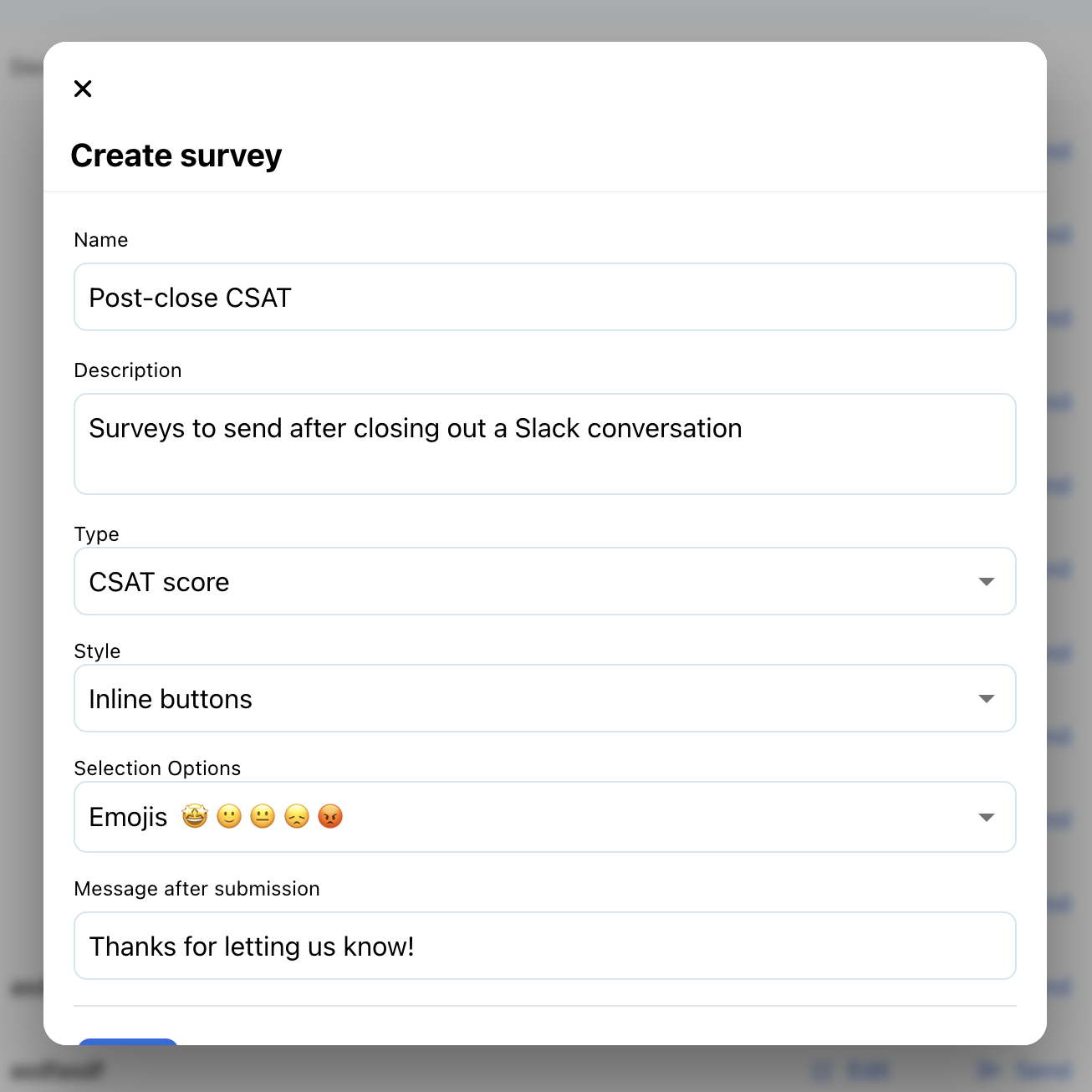
Name & Description
These are private fields only visible to you so you can organize and easily find your surveys
Type
- CSAT: a measure of your customer’s satisfaction with your services rated in a numerical scale
- NPS: a measure of how likely your customers are to recommend your product or service to a friend or colleague
Style
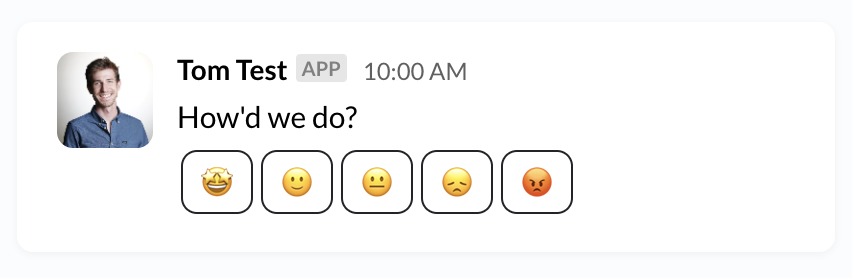
- Inline buttons: this will put the options in a Slack message as individual, clickable buttons
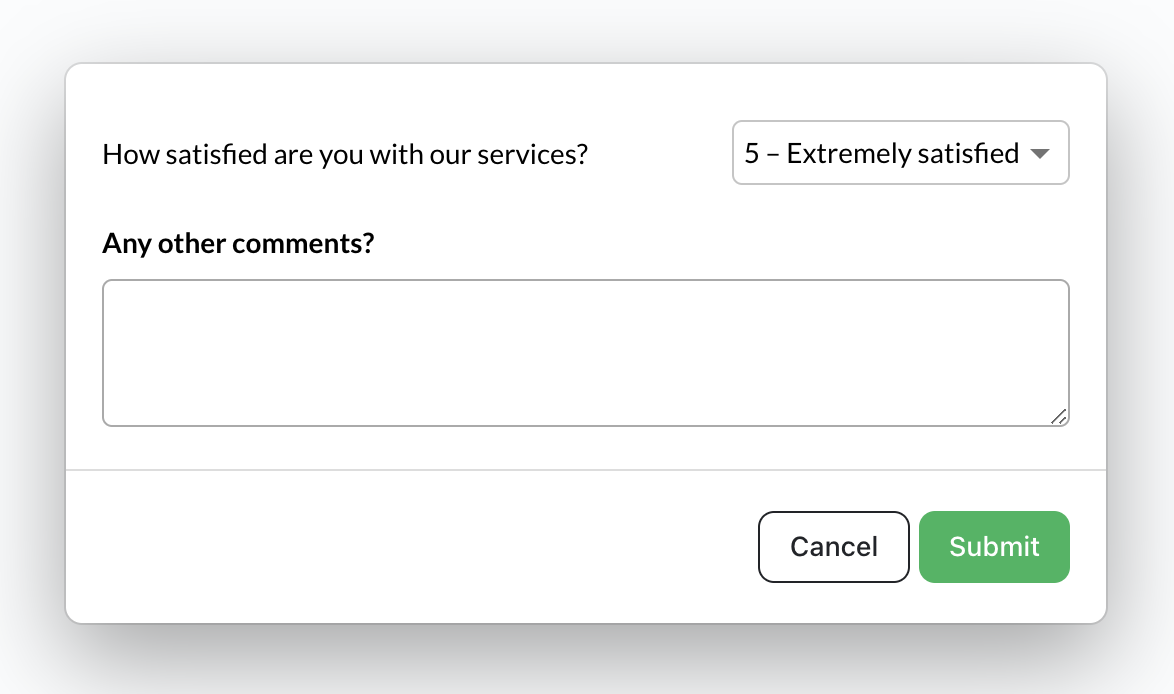
- Single button with pop-up modal: this will show a button that when clicked will present a modal for user to select options
Selection Options
- Emojis: choices will be represented with emoji faces
- Numerical: choices will be represented by numbers
Message After Submission
This text will be posted into Slack as an ephemeral message after submitting feedback.
Sending Survey
Broadcasting to Channels
You can send manually as part of a Slack Broadcast to any of your customer channels.
Sending in Thread
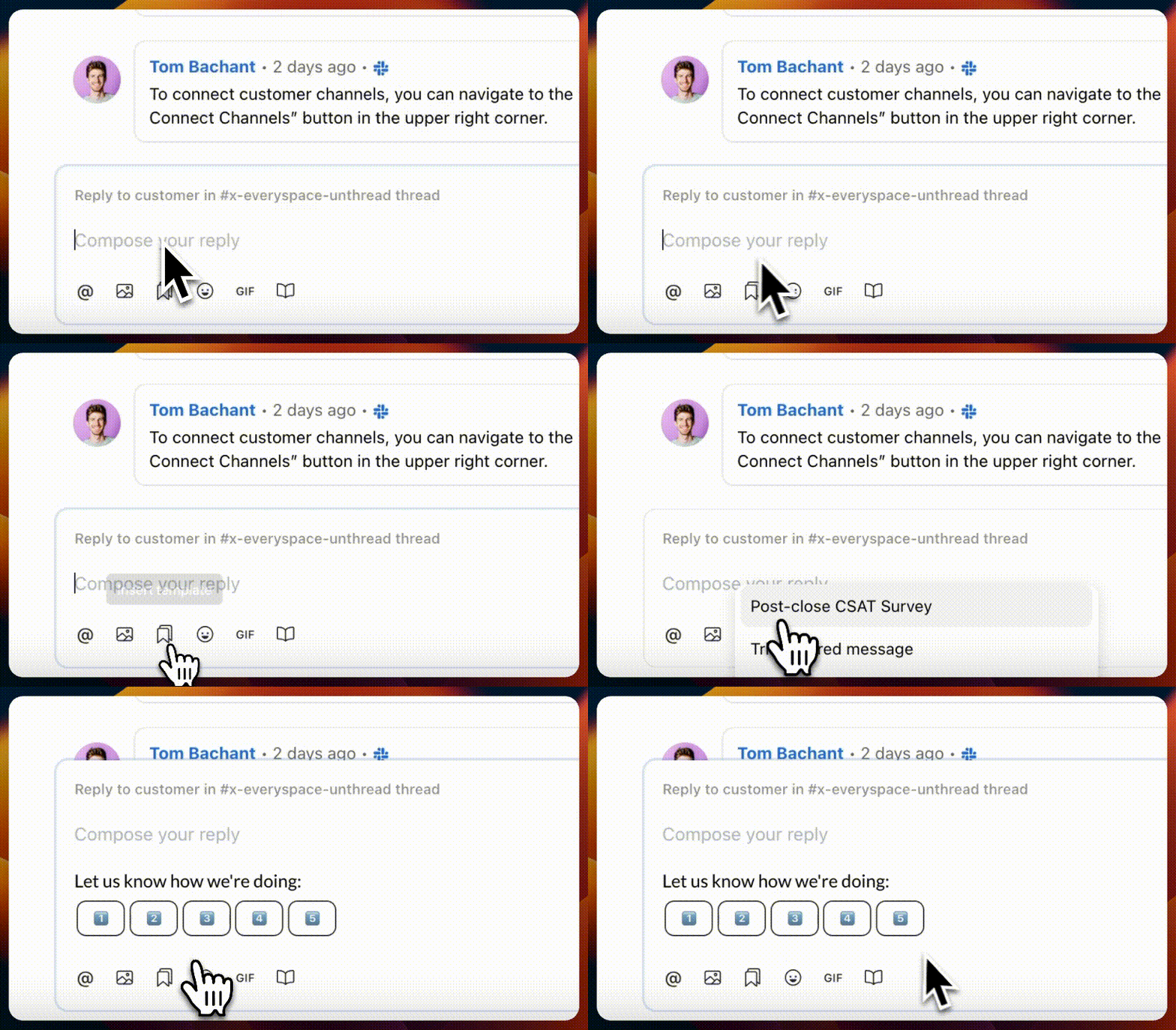
You can also send a survey when closing out a conversation to collect immediate feedback. Using a template, you can link a survey and any other message content to easily send from your Unthread dashboard, as seen below.
Automatically Sending When Closing Conversations
You can send a CSAT or NPS score survey automatically, along with any other message by leveraging a template and enabling the “post-close message” setting. You can find this under the Settings > General page by scrolling to the “Conversation Settings” section. Note that this applies globally and will automatically send for any conversation that is closed out. Current limitation is that these will only be sent for Slack & Teams, or in-app chat conversations.
Analytics
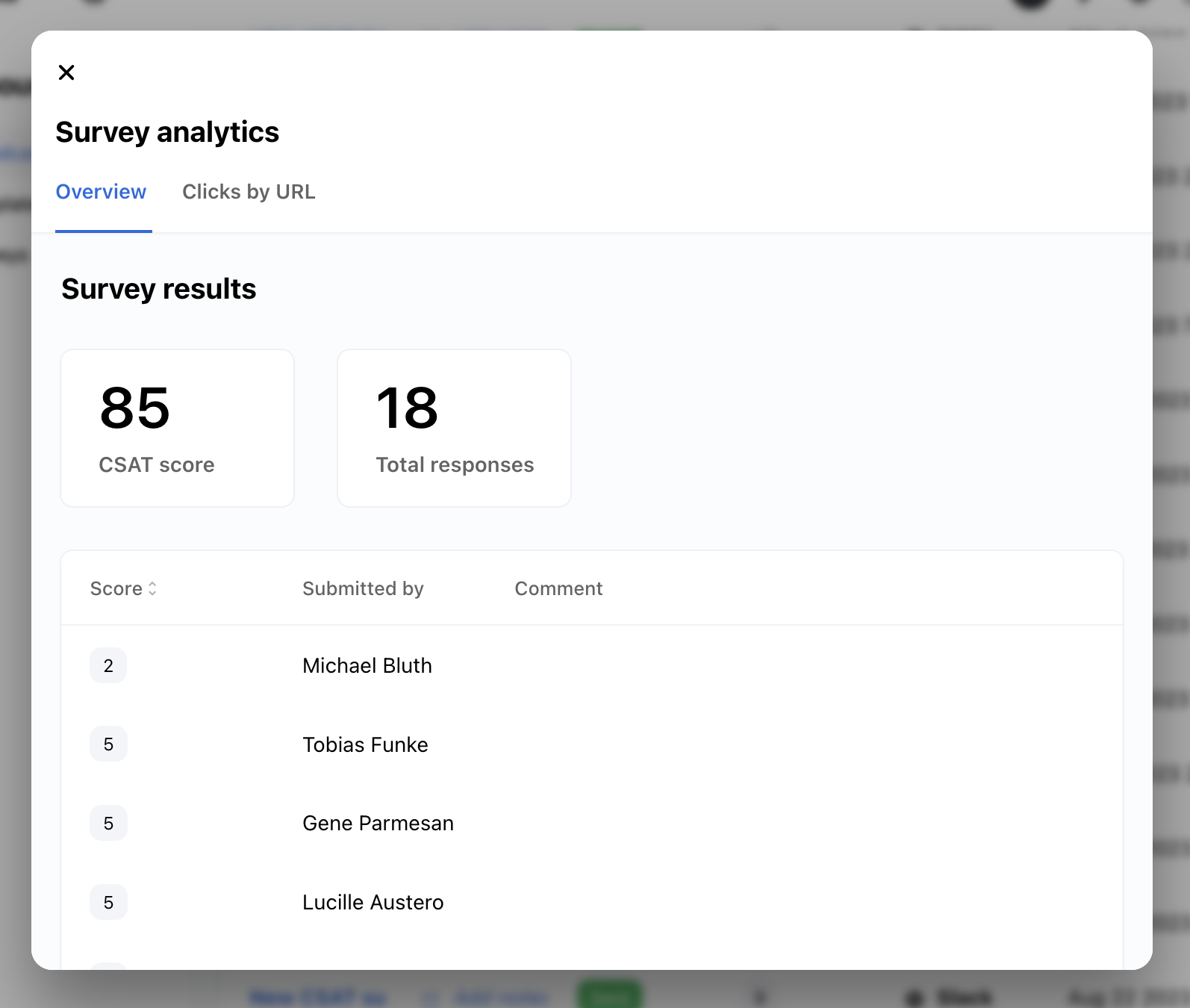
Each survey will collect its own set of analytics that be viewed on a per-message or aggregate basis. Click the “Analytics” button next to your survey to see the results. CSAT scores are represented by a number 0 to 100, measuring their level of satisfaction. NPS scores are represented by a number -100 to 100, indicating the likelihood that they’d recommend your product.
Understanding CSAT Results
CSAT measures customer satisfaction with your product or service.
- Score range:
0to100 - User ratings range between 1 to 5, with 1 indicating a 0% satisfaction rate, and 5 indicating a 100% satisfaction rate
Understanding NPS Results
NPS measures the likelihood of a user to recommend your service to a friend or colleage.
- Score range:
-100to100 - User ratings are a number between 0 and 10
- Ratings between 0 and 6 are considered “detractors”, meaning they would discourage others from using your service
- Ratings between 7 and 8 are considered “neutral”
- Ratings between 9 and 10 are considered “promoters”, meaning that they would recommend your service to others
- Final score is equal to the % of promoters minus the % of detractors